How many colors to use
What palette size does to difficulty, and when to leave the count on Auto.
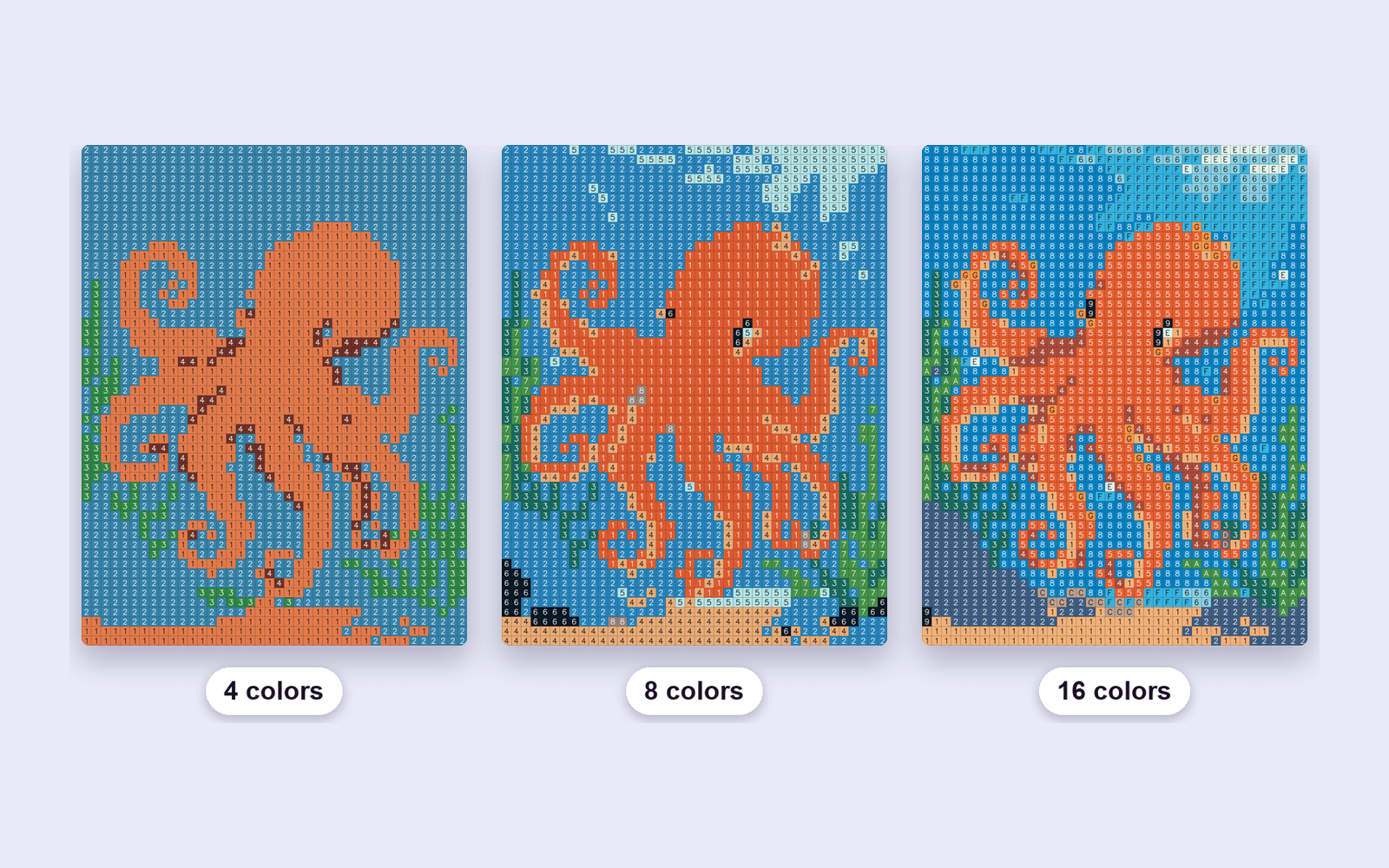
Every cell gets one number, and every number is one color in the legend. Fewer colors means a shorter legend and a simpler page. More colors means the photo survives, and the reader hunts through a longer key.
A range that is enough
The preview on this site uses 4 to 16 colors. The studio can go further: Auto picks a count, or you set a fixed count from 4 to 36. Auto is the right start. Switch to a fixed count when a face goes muddy or a background splits into colors nobody will bother to match.
What to look at
Drop the count until the subject is still recognizable with your eyes half closed. If the background and the subject share a number, add colors back. Flat illustrations usually need fewer colors than photographs. A book reads as one book when every page uses a similar count, even if Auto nudges it per image.
Palette edits in the studio are free. A generation is used when the image is turned into a mosaic, not when you recolor a swatch.