All 9 cell shapes, compared
Square, rounded, dot, circle, diamond, hexagon, triangle, and mixed, on the same image.
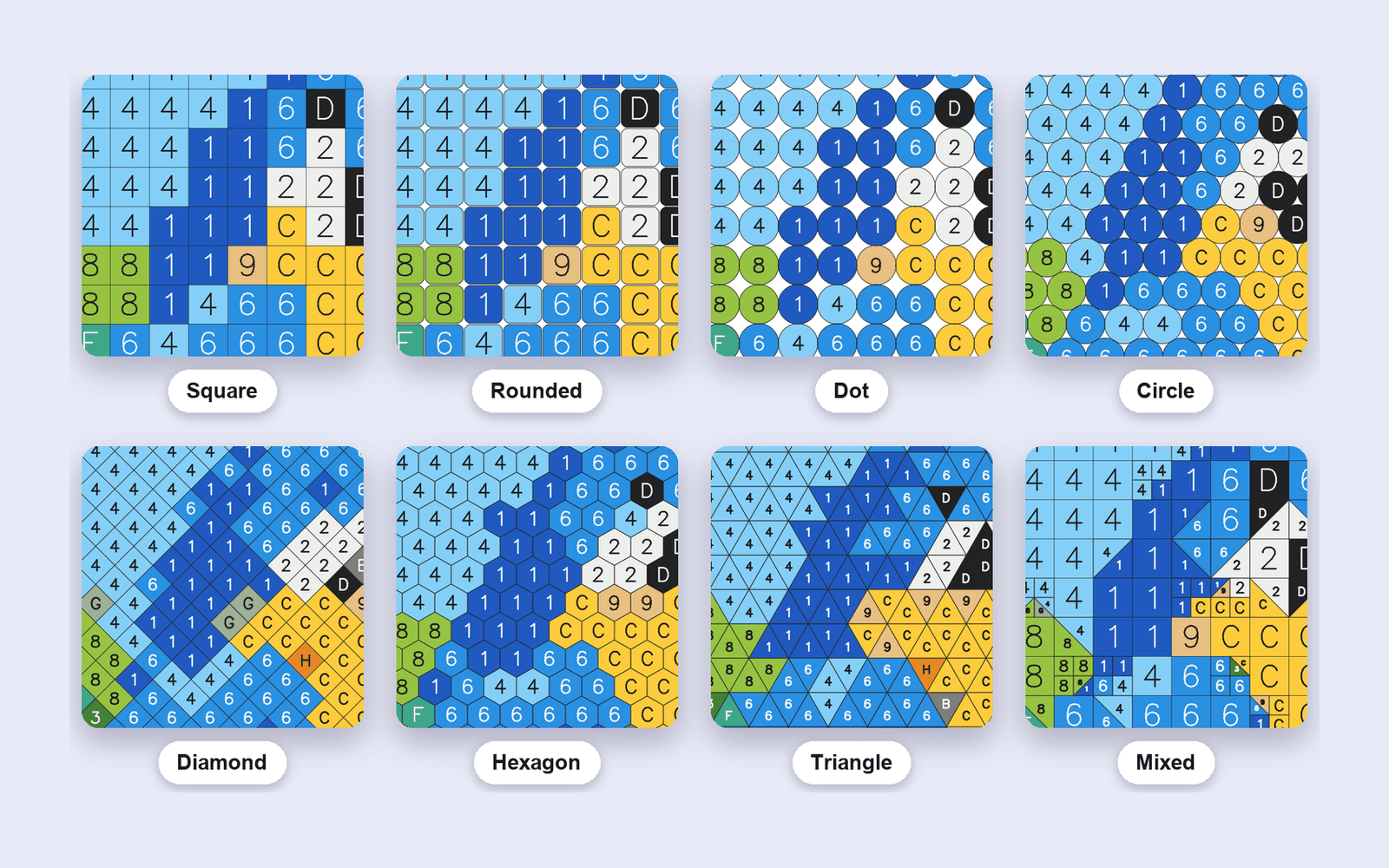
The same photo can be nine different pages. The colors stay. The cell outline changes. Click a shape to see it; the notes under each tile are the practical difference.
How to choose
Square is the default, and the one readers already know. Rounded is the same grid with softer corners. Dot leaves more paper showing. Circle fills the cell. Diamond and hexagon change the rhythm of the page, which helps nature and portraits. Triangle tessellates up and down. Mixed stays a square until the image changes inside a cell, then that cell splits into two triangles along a slanted edge, or into four smaller squares around a small detail such as an eye. Mixed circles does the same for round cells: offset rows, and flat areas merge into bigger circles.
Use one shape for a whole book unless a section is meant to change pace. Mixing all nine in one interior looks like a sampler, not a book.
The studio uses these same nine names. What you see here is a browser preview. The PDF is rendered on the server at print size.