Choosing cell size and columns
How a 2 mm cell and a 5 mm cell change the page, and how many columns fit on each trim.
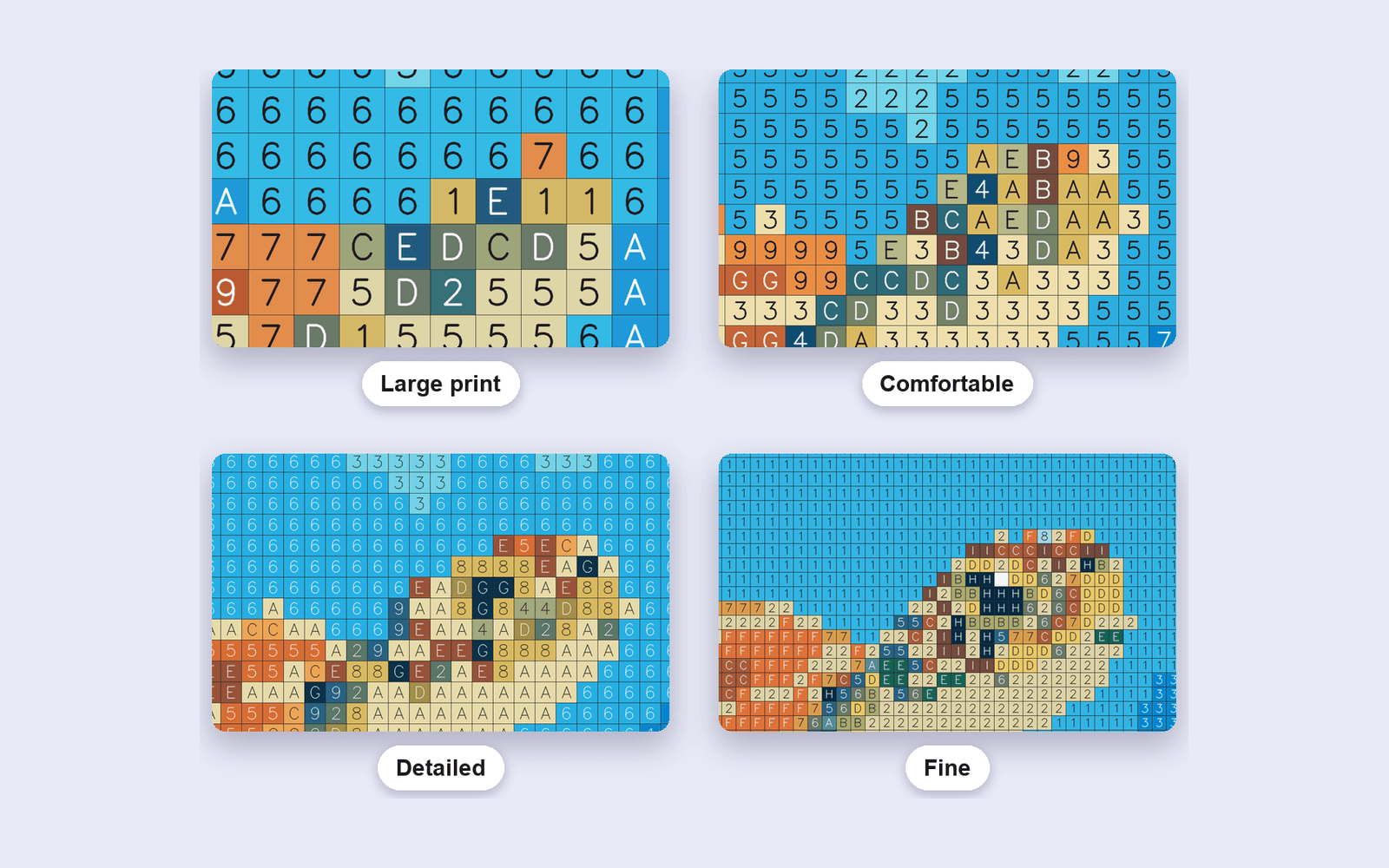
Cell size is the decision that changes how long a page takes to color. Columns are the same decision, seen from the other side: a wider page divided into smaller cells is more columns.
The four print sizes
The studio offers four presets, all at 300 DPI:
- Large print, about 5 mm
- Comfortable, about 3.5 mm
- Detailed, about 2.5 mm
- Fine, about 2 mm
On an 8.5 × 11 page those land near 34, 49, 67, and 84 columns. On 6 × 9 the same cells land near 21, 32, 42, and 52 columns, because the grid is narrower.
Who the page is for
A 5 mm cell is for readers who want a short page: children, gifts, a first book. A 2 mm cell keeps more of the photo and asks for a finer pen. If the subject turns into a few blobs, the cells are too big, or the photo was too busy. If the numbers no longer fit the cell, the cells are too small for that trim.
The studio is the place that locks the size to a real print measurement.